Author: Jayakumar Srinivasan
Estimated Reading Time: 8 minutes
1. Introduction: Why Swagger Matters for Azure Functions
Most enterprises today rely heavily on Azure Functions to power their API and integration ecosystem.
However, as the number of functions grows, one challenge becomes painfully clear — discoverability.
Internal teams — developers, QA, and integration engineers — often struggle to understand:
- What endpoints exist?
- What payload formats are expected?
- How should they test integrations before backend availability?
Traditionally, Swagger (OpenAPI) solved this for Web APIs — but when it came to Azure Functions, documentation was either manual or non-existent.
This article walks through how we solved this in our enterprise by enabling Swagger documentation for Azure Functions built on the Isolated Worker Model (.NET 8) using Swashbuckle and OpenAPI attributes.
2. Understanding the Azure Function Isolated Worker Model
With .NET 8, the Isolated Worker Model has become the recommended way to build Azure Functions.
It runs your code out of process from the Azure Functions runtime, giving you:
- Full control over dependency injection
- Custom middleware
- Richer debugging experience
- Compatibility with standard ASP.NET middleware and OpenAPI extensions
If you’ve migrated from the in-process model, you’ll quickly realize that the default OpenAPI integration no longer applies.
That’s exactly where Swashbuckle bridges the gap.
3. Required NuGet Packages
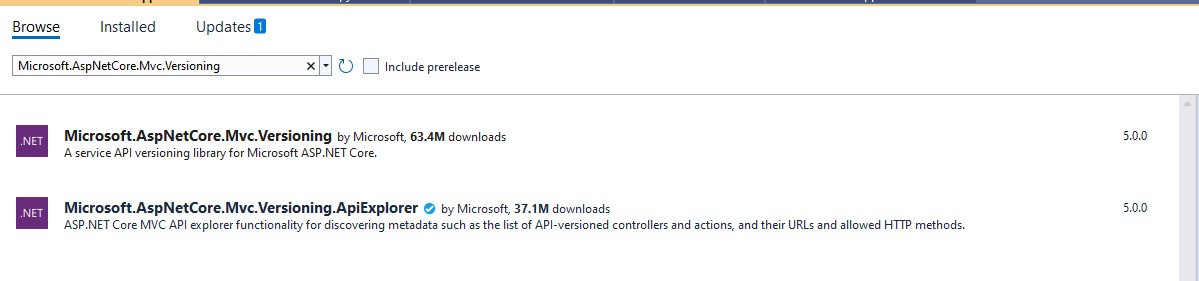
Install the following packages from NuGet:
Microsoft.Azure.Functions.Worker.Extensions.OpenApi
💡 Note: The Microsoft.Azure.Functions.Worker.Extensions.OpenApi package adds the OpenAPI binding attributes, while Swashbuckle.AspNetCore provides the Swagger generation capabilities.
4. Annotating Your Azure Function with OpenAPI Attributes
Here’s a sample Azure Function showcasing OpenAPI annotations:
using System.Net;
using Microsoft.Azure.Functions.Worker;
using Microsoft.Azure.Functions.Worker.Http;
using Microsoft.Azure.WebJobs.Extensions.OpenApi.Core.Attributes;
using Microsoft.OpenApi.Models;

public class CustomerFunctions
{
    [Function("GetCustomerById")]
    [OpenApiOperation(operationId: "GetCustomerById", tags: new[] { "Customer" })]
    [OpenApiParameter(name: "id", In = ParameterLocation.Path, Required = true, Type = typeof(string), Description = "The Customer ID")]
    [OpenApiResponseWithBody(statusCode: HttpStatusCode.OK, contentType: "application/json", bodyType: typeof(Customer), Description = "Customer details")]
    public HttpResponseData Run(
        [HttpTrigger(AuthorizationLevel.Function, "get", Route = "customer/{id}")] HttpRequestData req,
        string id)
    {
        var response = req.CreateResponse(HttpStatusCode.OK);
        var customer = new Customer { Id = id, Name = "John Doe", Country = "Sweden" };
        response.WriteAsJsonAsync(customer);
        return response;
    }
}

public class Customer
{
    public string Id { get; set; }
    public string Name { get; set; }
    public string Country { get; set; }
}
🧠 Tip: You can apply the [OpenApiRequestBody], [OpenApiResponseWithBody], and [OpenApiParameter] attributes to define schema and descriptions just like in traditional ASP.NET Core APIs.
5. Hosting Swagger UI in Azure Functions
Once configured, you can navigate to:
https://<your-function-app>.azurewebsites.net/api/swagger/ui
Please be aware that you need to enable CORS on the Function to view the swagger documentation. There are many ways to secure your Swagger docuentation which will bea a separate article and I will not discuss much about it here. However using CORS in PROD environment should be avoided.
You’ll see a fully interactive Swagger UI showing:
- All function endpoints
- Input/output parameters
- Response models
- Sample payloads
6. Real-world Benefits We Observed
After implementing Swagger documentation for our Azure Function ecosystem:
- 70% fewer API-related support tickets
- Faster onboarding for new developers and QA engineers
- Zero dependency on manually shared Postman collections
- Instant clarity for consuming systems and teams
This approach simplified not just documentation — it enhanced collaboration, maintainability, and confidence across teams.
7. Lessons Learned and Best Practices
- Keep your OpenAPI annotations consistent across functions.
- Always version your APIs and reflect them in Swagger tags.
- Automate your Swagger JSON publishing during CI/CD so that documentation is always fresh.
- Add OpenAPI authentication if your environment demands security compliance.
8. Summary
Enabling Swagger for Azure Functions in the Isolated Worker Model may seem like a small addition — but it changes how teams understand and consume APIs.
By embedding discoverability directly into the function, you empower everyone — developers, testers, and architects alike — to work with clarity.
“True scalability isn’t about building more APIs — it’s about helping people use them better.”


 dotnetjaikum.com